

Description
Authyo OTP for WPForms adds one-time password (OTP) verification via email and phone number to your forms, using Authyo’s secure delivery service. It supports SMS, WhatsApp, and voice call channels for phone verification, helping ensure that only verified users can submit WPForms and reducing spam while enhancing form security.
Features:
– Email and Phone OTP verification fields for WPForms
– Support for SMS, WhatsApp, and Voice Call OTP (Voice Call India only)
– Secure one-time password handling
– Seamless integration with Authyo service
– Easy setup and configuration
– Fail-Safe Lead Protection: Automatically allows submissions to continue if Authyo is not configured or the wallet balance is exhausted—so no leads are lost.
Video Tutorial – How to Use Authyo OTP for WPForms
This plugin helps reduce spam and ensures that only verified users can submit your forms.
Note: OTP verification requires valid Authyo API credentials and sufficient wallet balance. When unavailable, form submissions will proceed without OTP verification to prevent lead loss.
Company Information
Konceptwise Digital Media Pvt. Ltd. is the parent company that officially develops and maintains this plugin.
Authyo is a product line developed and owned by Konceptwise Digital Media Pvt. Ltd.
Important: This plugin is NOT affiliated with, endorsed by, or officially supported by WPForms. It is an independent third-party integration that works with WPForms to provide OTP functionality using Authyo’s API services.
External Services
This plugin connects to external Authyo services in the following scenarios:
OTP Verification
Service used: Authyo (https://app.authyo.io)
Purpose: To send and verify one-time passwords for WPForms forms.
Data sent: The email address or phone number entered by the user, along with OTP data, is transmitted securely to Authyo’s servers only for the purpose of OTP verification.
When: Data is sent when the user requests an OTP and again when verifying it.
Provider: Authyo Inc. / Konceptwise Digital Media Pvt. Ltd.
Terms of Service: https://authyo.io/terms-service
Privacy Policy: https://authyo.io/privacy-policy
Support Requests
Service used: Authyo (https://app.authyo.io)
Purpose: Delivering support/help requests submitted by the site administrator.
Data sent: Admin’s message, email address, site URL, plugin version, WordPress version, PHP version.
When: Only when the site administrator explicitly submits the help form in the Support tab.
Provider: Authyo Inc. / Konceptwise Digital Media Pvt. Ltd.
Terms of Service: https://authyo.io/terms-service
Privacy Policy: https://authyo.io/privacy-policy
Plugin Activation & Deactivation Tracking
Service used: Authyo (https://app.authyo.io)
Purpose: Anonymous plugin usage tracking and deactivation feedback.
Data sent: Plugin version, page URL, and optional deactivation reason.
When: On plugin settings save (non-blocking) and plugin deactivation (optional feedback).
Provider: Authyo Inc. / Konceptwise Digital Media Pvt. Ltd.
Terms of Service: https://authyo.io/terms-service
Privacy Policy: https://authyo.io/privacy-policy
Dependencies
This plugin requires the WPForms plugin to be installed and activated.
Screenshots
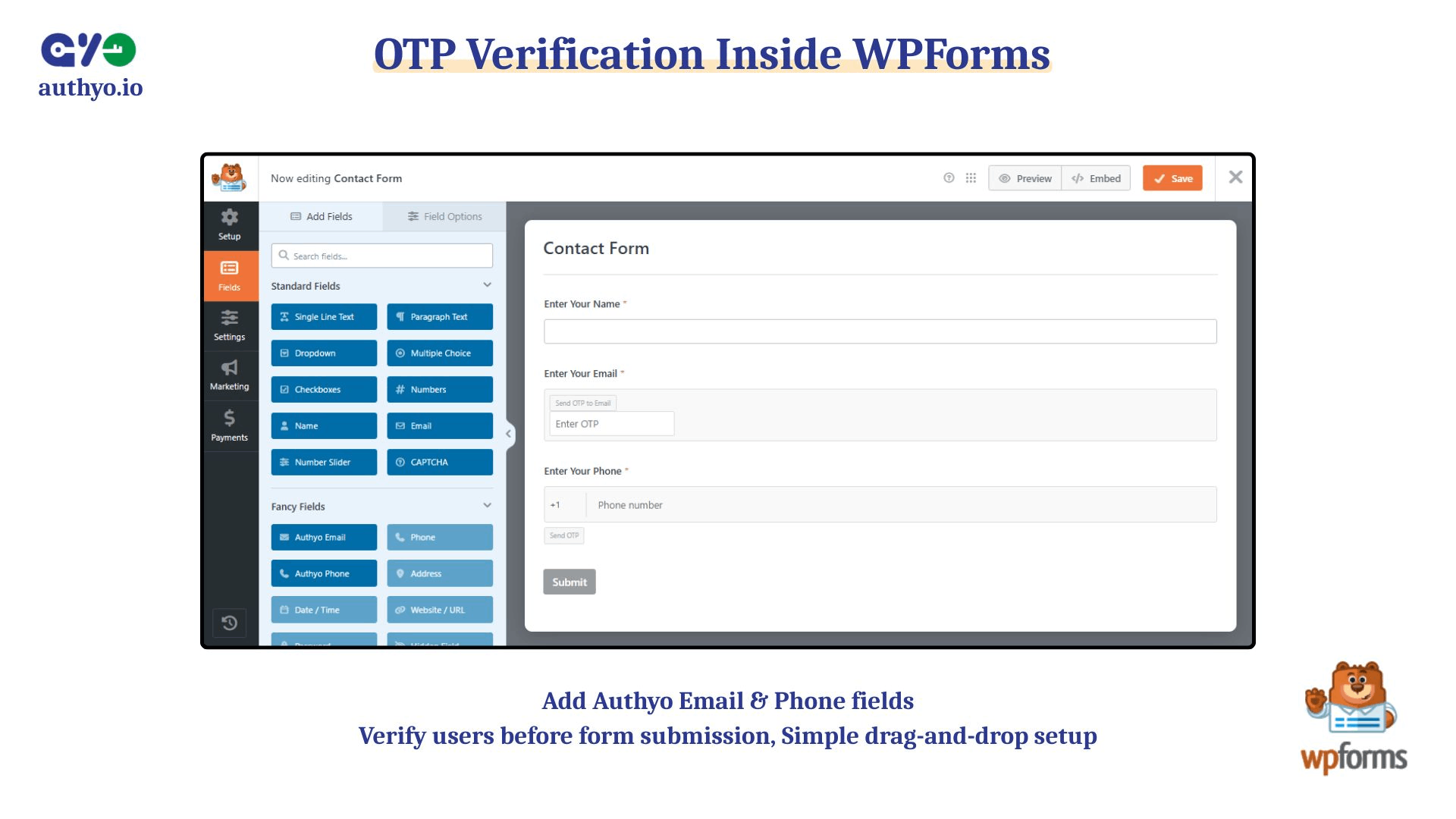
Authyo email and authyo phone inside the wpforms plugin drag and drop form field 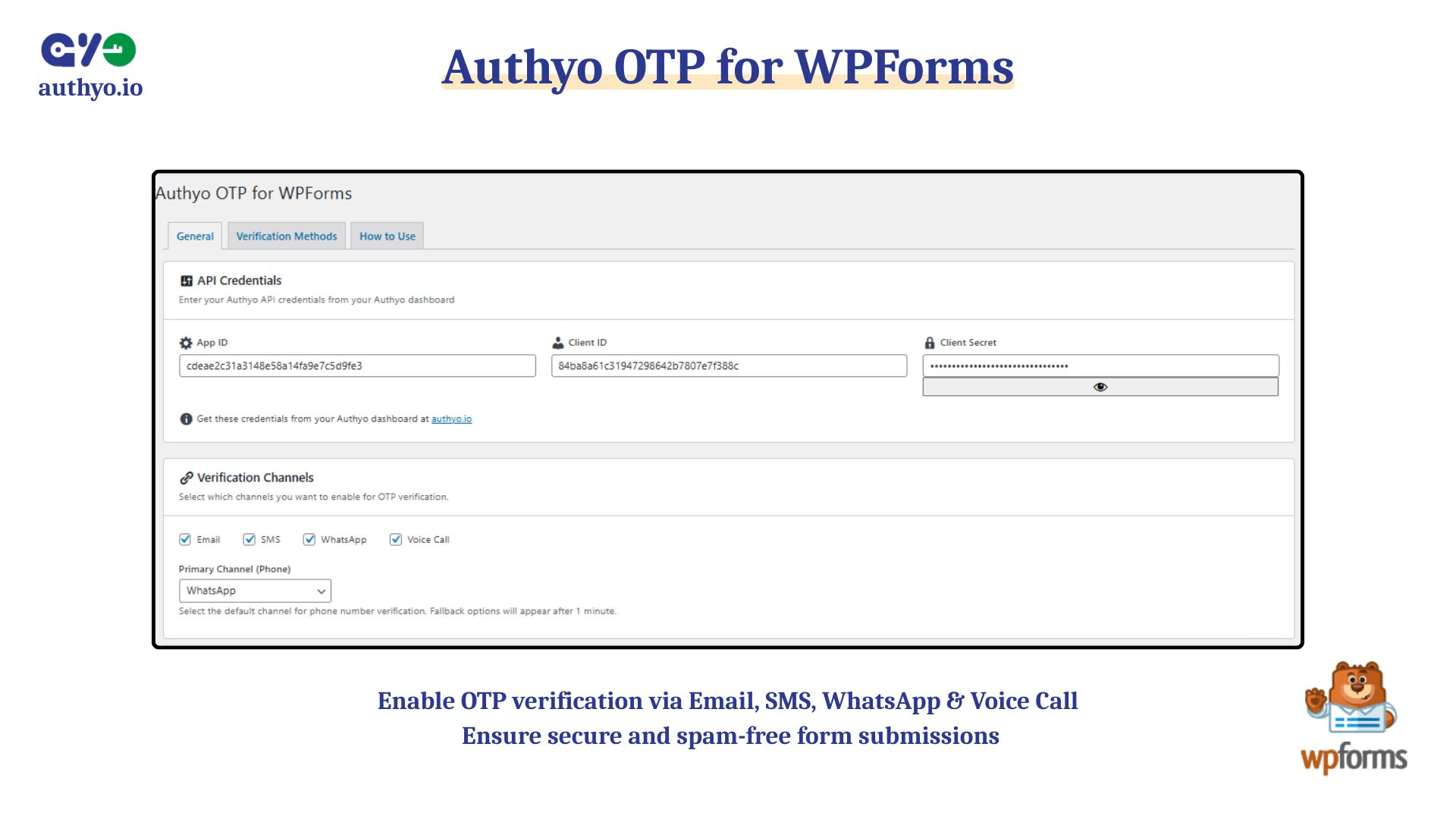
Plugin setup screen 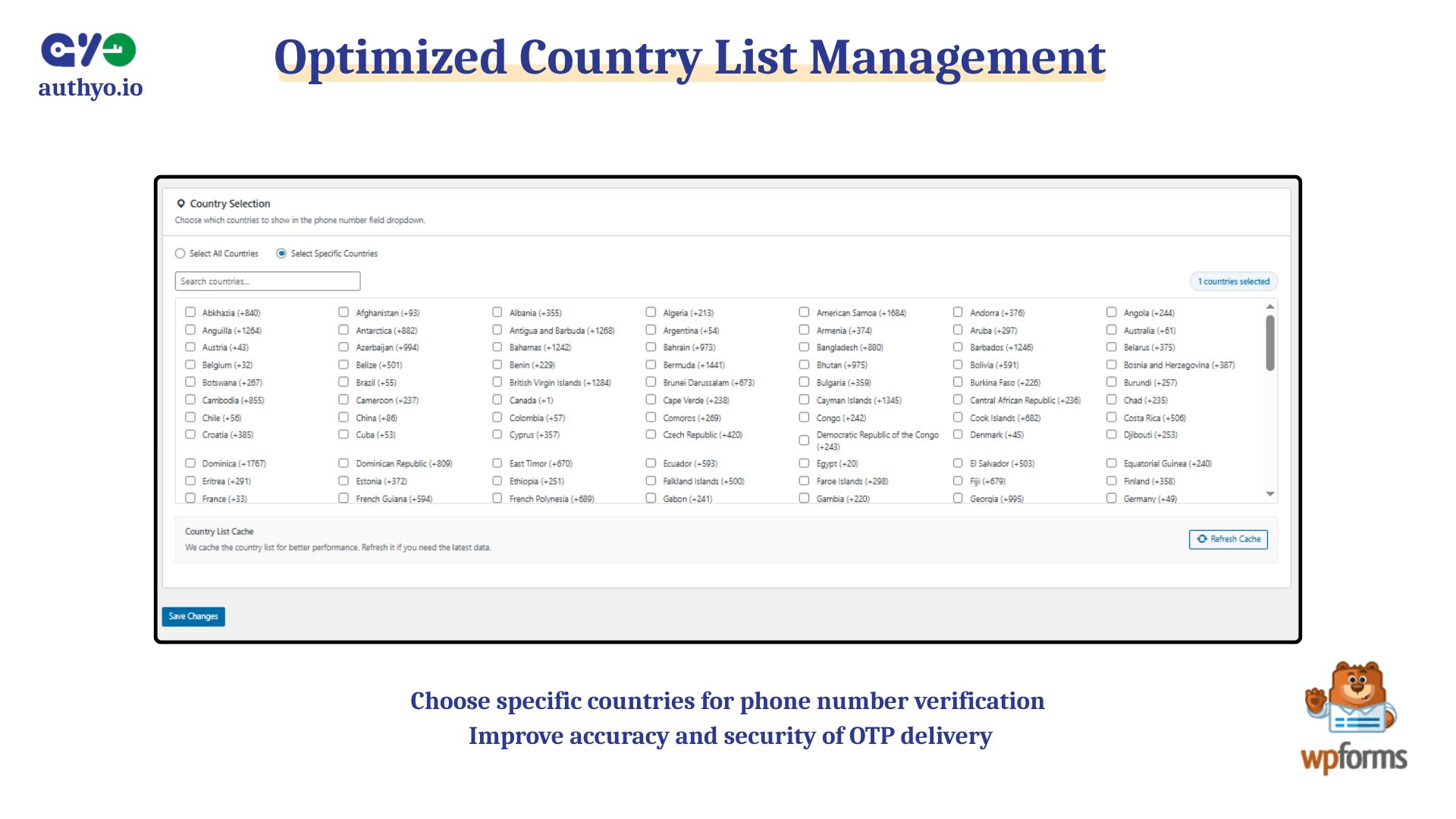
Plugin country dropdown setting screen 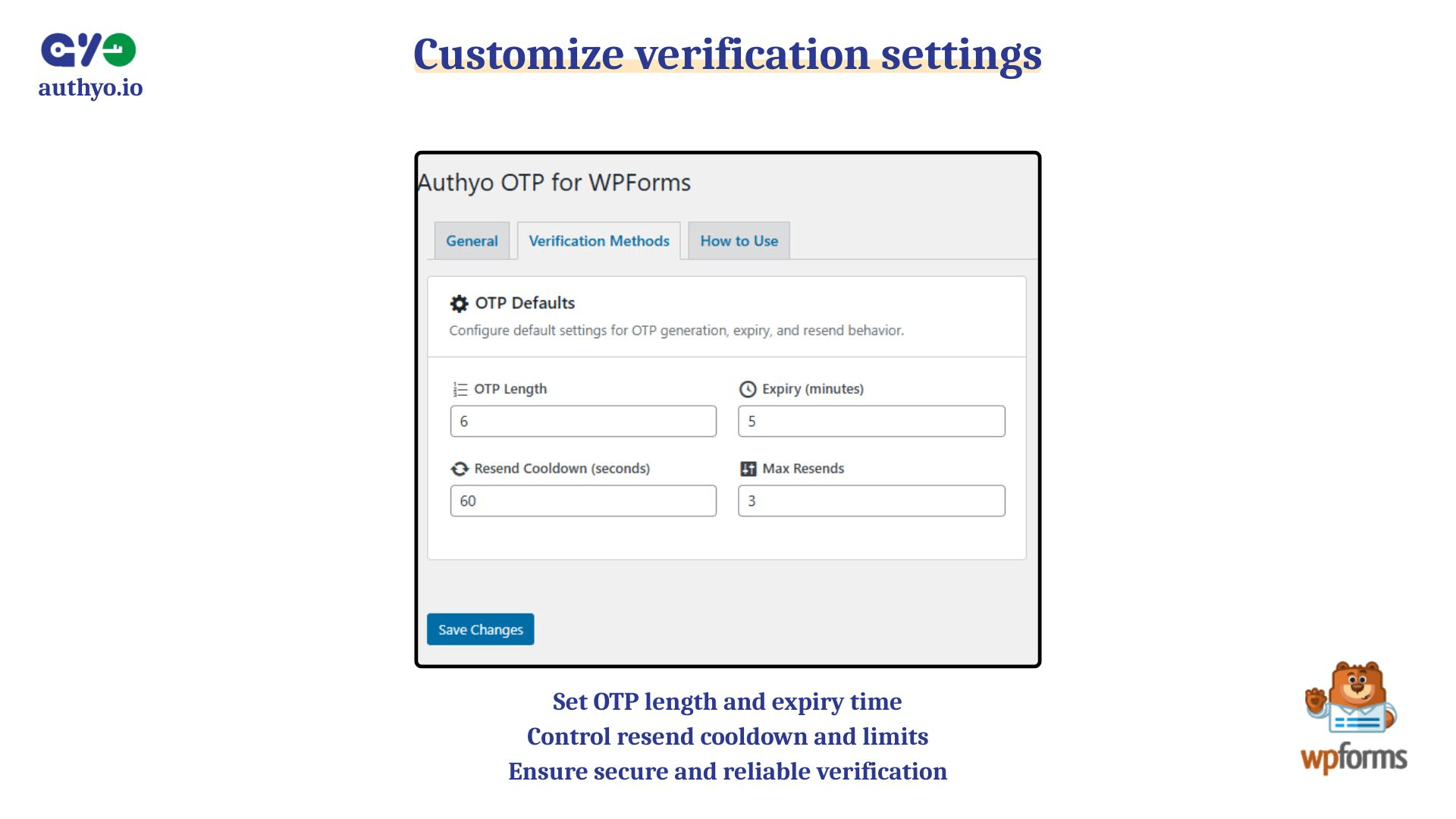
Plugin OTP method setup screen
Installation
- Upload the plugin files to the
/wp-content/plugins/authyo-otp-for-wpforms/directory, or install through the WordPress Plugins screen. - Activate the plugin through the Plugins menu in WordPress.
- Configure your Authyo API credentials in the plugin’s settings page under Authyo OTP.
- Edit your WPForms form and add the “Authyo Email” or “Authyo Phone” field from the Fancy Fields section.
- Configure the OTP field settings as needed.
- Save and test your form.
FAQ
-
Does this plugin require WPForms?
-
Yes. This is an extension for WPForms.
-
Which OTP methods are supported?
-
This plugin supports Email, SMS, WhatsApp, and Voice Call OTP verification. Note that Voice Call is currently available exclusively for India.
-
Is an Authyo account required?
-
Yes, you need an Authyo account and API credentials to use the service.
Reviews
There are no reviews for this plugin.
Contributors & Developers
“Authyo OTP for WPForms” is open source software. The following people have contributed to this plugin.
Contributors
Translate “Authyo OTP for WPForms” into your language.
Interested in development?
Browse the code, check out the SVN repository, or subscribe to the development log by RSS.
Changelog
1.0.12
- Added: Guided tour for new users with “Take a Tour” restart button
- Added: Welcome banner on General tab for new installations
- Added: Smart field type detection indicator (Email/Phone)
- Added: Nonce refresh and DONOTCACHEPAGE support for caching plugins
- Added: Requires Plugins header for WordPress 6.5+
- Improved: User-facing error messages rewritten for clarity
- Improved: How to Use tab documents all three field types
- Improved: Tour tooltip responsiveness on small screens
- Removed: Dead code cleanup
1.0.11
- Added: Advanced Phone Validation using Google’s libphonenumber library (optional, off by default)
- Added: Real-time phone number validation with country-specific format checking
- Added: Landline/pager number detection with warning messages
- Added: Proper E.164 phone number formatting for improved OTP delivery reliability
- Added: Inline validation feedback (valid/invalid/warning) displayed below phone input
- Added: New admin setting toggle under Verification Channels to enable/disable advanced validation
- Improved: Phone number validation accuracy for all supported countries
- Improved: Moved libphonenumber library to assets directory for proper plugin structure
1.0.10
- Improved: Finalized international phone formatting consistency.
- Fixed: Double-prefixing bug in Authyo Phone field.
- Added: Preserved leading zero and + prefix in all form entries.
- Improved: Performance improvement.
1.0.9
- Improved: Performance improvement
1.0.8
- Added: Strict Validation option to block multi-step form progress and same-page field transitions until verified
- Improved: Enhanced Smart Field detection and validation logic
1.0.7
- Improved: Performance improvement
1.0.6
- Added: New Authyo Smart Field that handles both email and phone verification in a single field
- Added: Failsafe Protection (Auto-verification bypass when wallet balance is low)
- Improved: Performance improvement
1.0.5
- Improved: Performance improvement
1.0.4
- Improved: Performance improvement
1.0.3
- Improved: Performance improvement
1.0.2
- Improved: Performance improvement
1.0.1
- Added: Phone number OTP verification field with support for WhatsApp, SMS, and Voice Call channels
- Added: Multi-channel OTP support for phone number verification
1.0.0
- Initial release with Email OTP support for WPForms.